Synced lyrics with translation, on any music site

Songspeak shows synced lyrics for the song that plays in Chrome and translates them into your language. Point at a word to see what it means in this line.

Coming soon to the Chrome Web StoreFree, no account

Works on Spotify, YouTube Music, YouTube, SoundCloud, Deezer, Apple Music and other music sites.

A music site plays Cielito Lindo, and Songspeak in the Chrome side panel highlights the Spanish line being sung, with its English translation on top. The pointer rests on the word llores, the song pauses, and the tooltip shows cry in the line "sing and don't cry".

Songspeak in the side panel, next to the music

Try it: point at a word

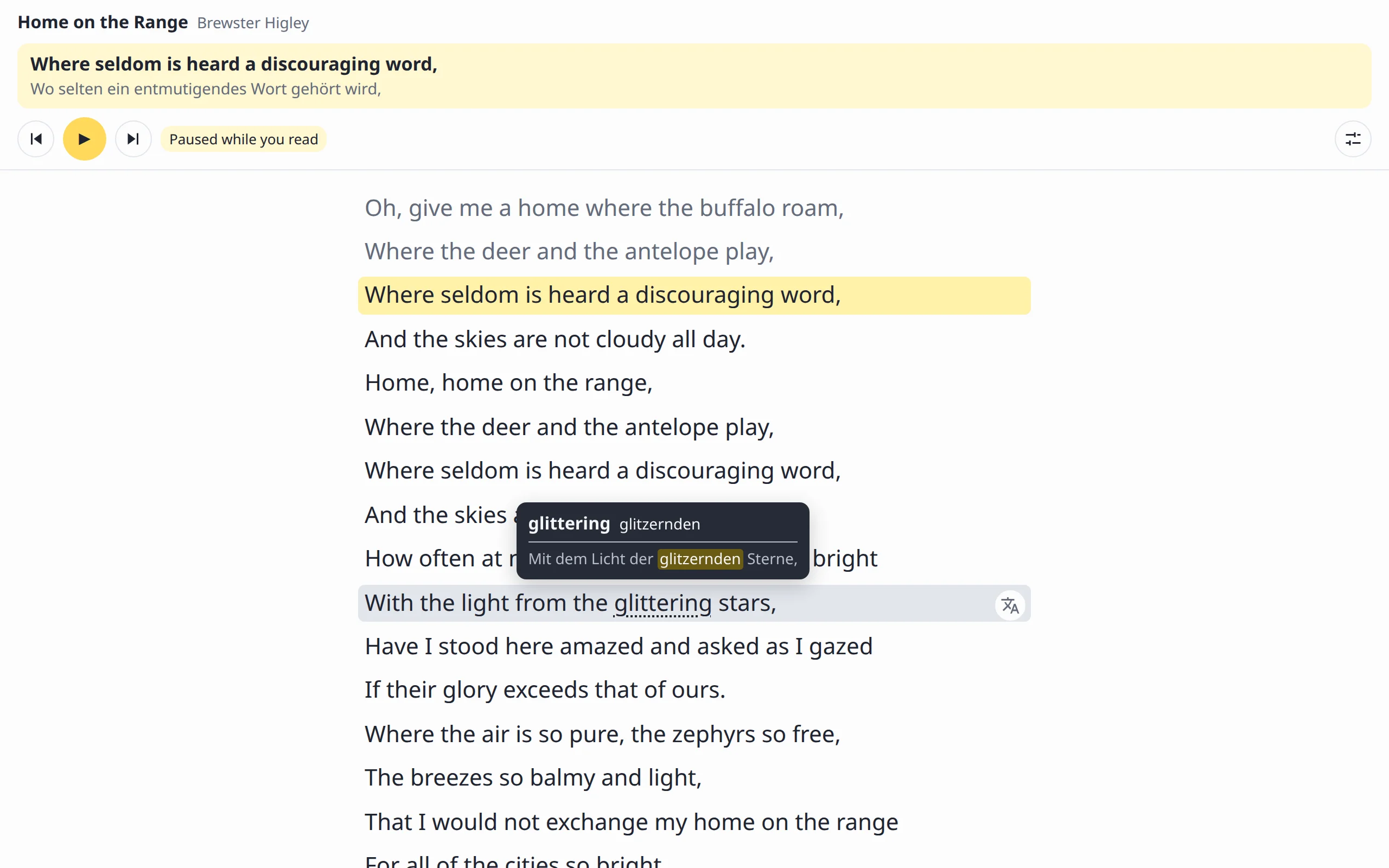
Where seldom is heard a discouraging word,

Donde rara vez se escucha una palabra desalentadora,

Point at any word, or tap it. Every translation here is real Songspeak output. The song, "Home on the Range" (1872), is in the public domain.

How it works

  1. Play a song on Spotify, YouTube Music or another music site.
  2. Press the Songspeak button. It finds synced lyrics by the title, the artist and the length of the song.
  3. Point at a word. The translation of the line appears, and the words that match light up.

A lyrics translator that runs on your computer

Songspeak translates song lyrics with Bergamot, the engine behind Firefox Translations. The lyrics never leave your computer. The first time you pick a language, Songspeak downloads its model, 20 to 45 MB. After that a whole song translates in a few seconds.

Translate song lyrics to English from Spanish, Korean and 16 other languages, or into your own language.

Lyrics in
Arabic, Azerbaijani, Belarusian, Chinese, English, French, German, Indonesian, Italian, Japanese, Korean, Polish, Portuguese, Russian, Spanish, Thai, Turkish, Ukrainian, Vietnamese
Translated into
English, French, German, Indonesian, Italian, Japanese, Portuguese, Russian, Spanish, Turkish, Vietnamese

Learn a language with songs

You already know the tune, and you hear the same lines again and again. Keep the original on screen and check only the words you don't know. A dictionary gives every meaning of a word. Songspeak shows the one the singer means in this line.

Questions

Is Songspeak free?

Yes. You don't need an account, and there are no ads.

Which music sites does it work with?

With the music sites you open in Chrome: Spotify, YouTube Music, YouTube, SoundCloud, Deezer, Apple Music and others.

Where do the lyrics come from?

From LRCLIB, a free public database of synced lyrics that people add and fix. If Songspeak picks the wrong song, search by hand. Songspeak remembers your choice and your timing for that song.

What if Songspeak finds no lyrics?

LRCLIB does not have every song. Search by hand with a different spelling of the artist or the title. If LRCLIB has no lyrics for the song, Songspeak cannot show them.

Does Songspeak send the lyrics or my data anywhere?

To find the lyrics, your browser sends the title, the artist, the album and the length of the song to LRCLIB. The translation runs on your computer. We do not collect data about you. The details are in the privacy policy.

Does it highlight every word, like karaoke?

No. It highlights the line being sung, not each word.